AndroidThe phone won't install the app
“I downloaded the app, but my phone doesn't want to install it.”
- Download Reeminder from this website and open the downloaded file.
- Your phone will warn you that the app comes from outside Google Play. That's expected — Reeminder isn't in the Play Store, because Google doesn't allow apps that send real texts.
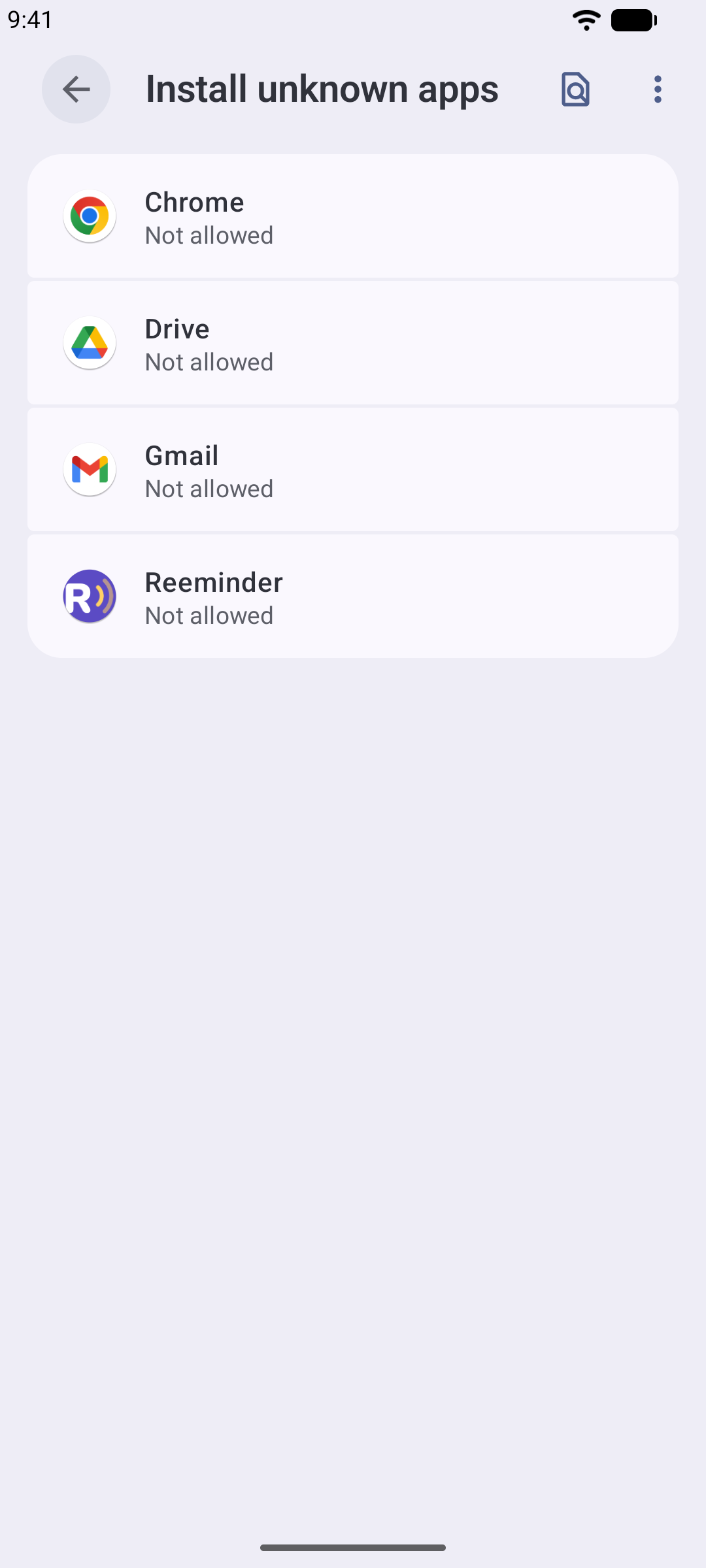
- When asked, allow your browser to install apps — the switch is called “Install unknown apps”.
- If Google Play Protect objects, choose “Install anyway”. The download comes straight from us, unchanged.
AndroidAndroid won't let me turn on the SMS permission
“A message says the app was denied access, and the SMS permission can't be switched on.”
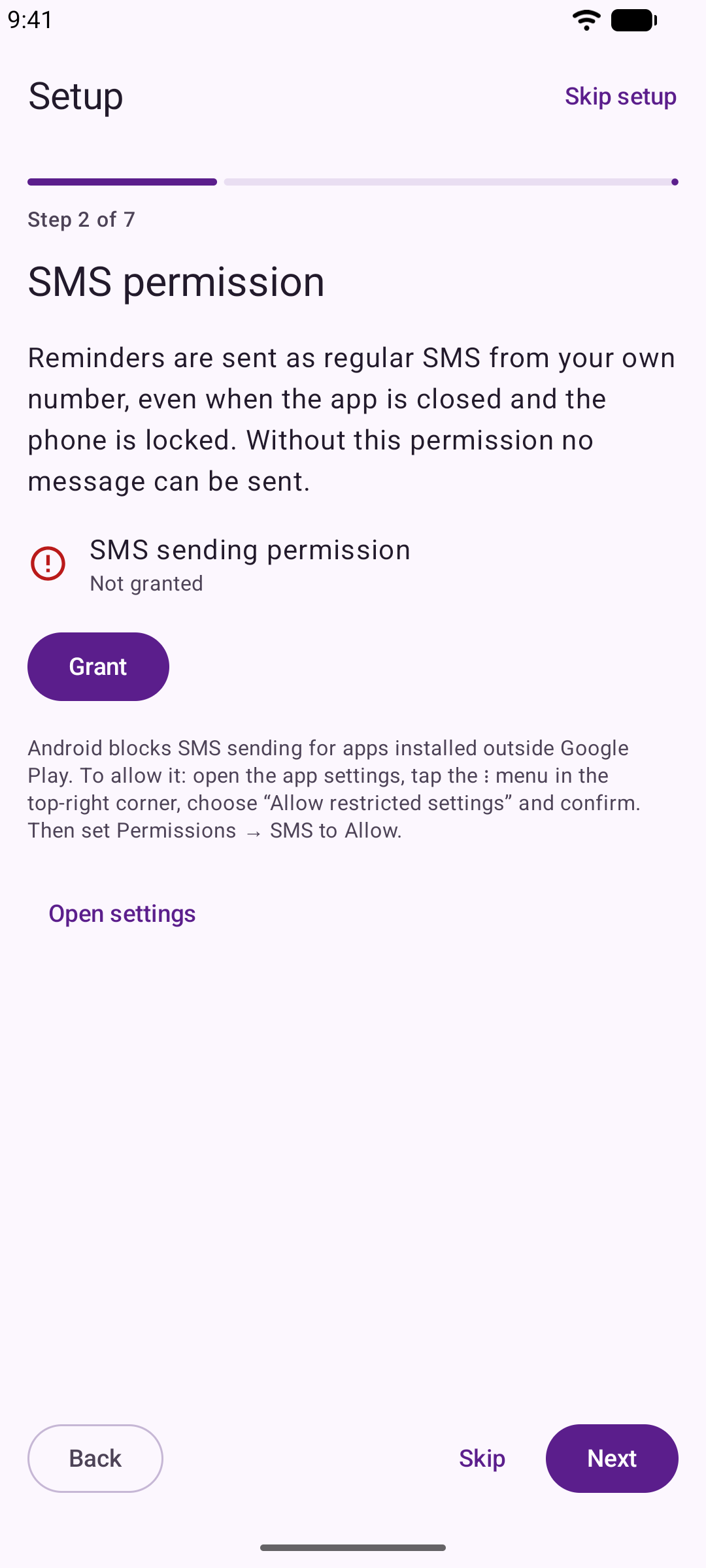
On newer phones (Android 13 and up), the SMS permission stays locked for apps installed outside Google Play until you approve it once by hand — and the switch is hidden. Here is exactly where it lives:
- If the “App was denied access” message pops up, tap Close.
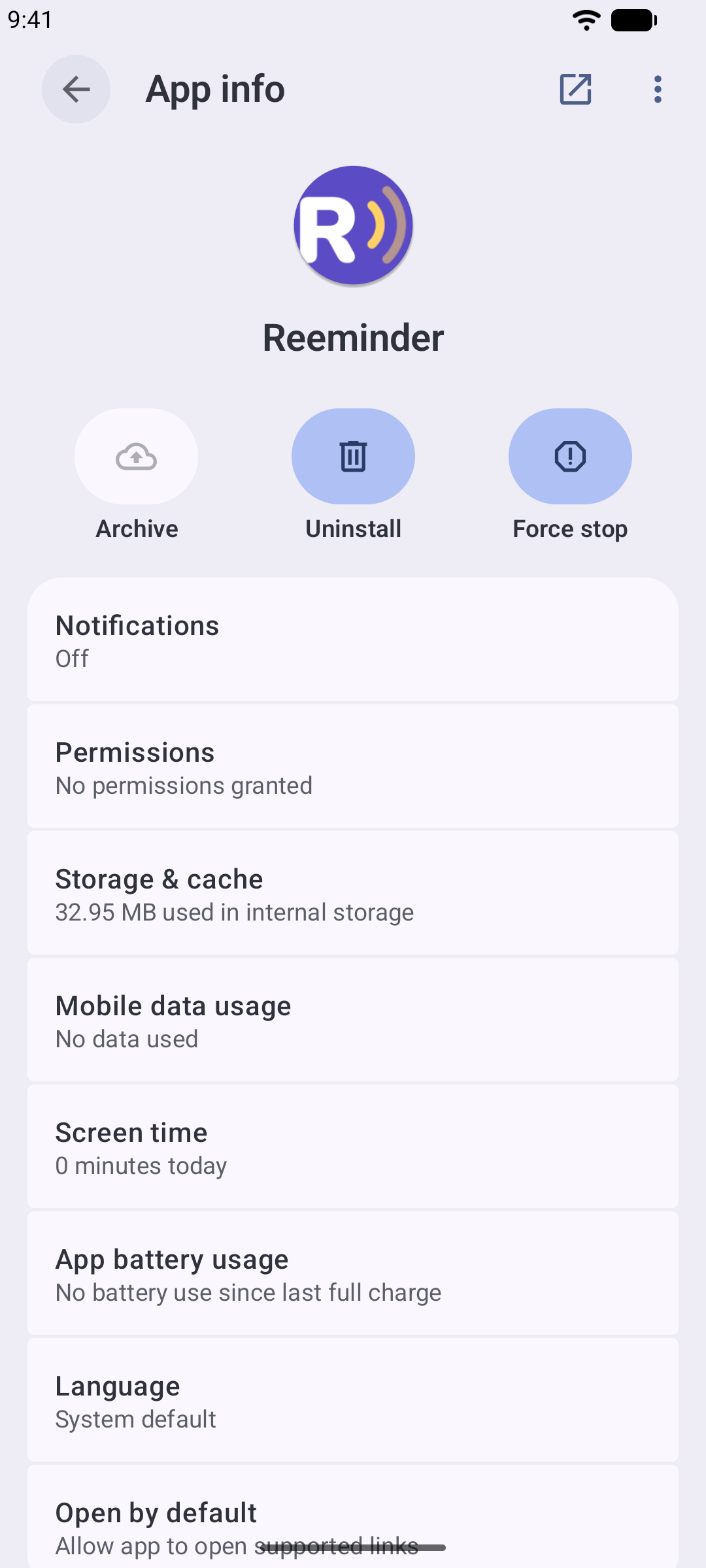
- Open your phone's Settings → Apps → Reeminder.
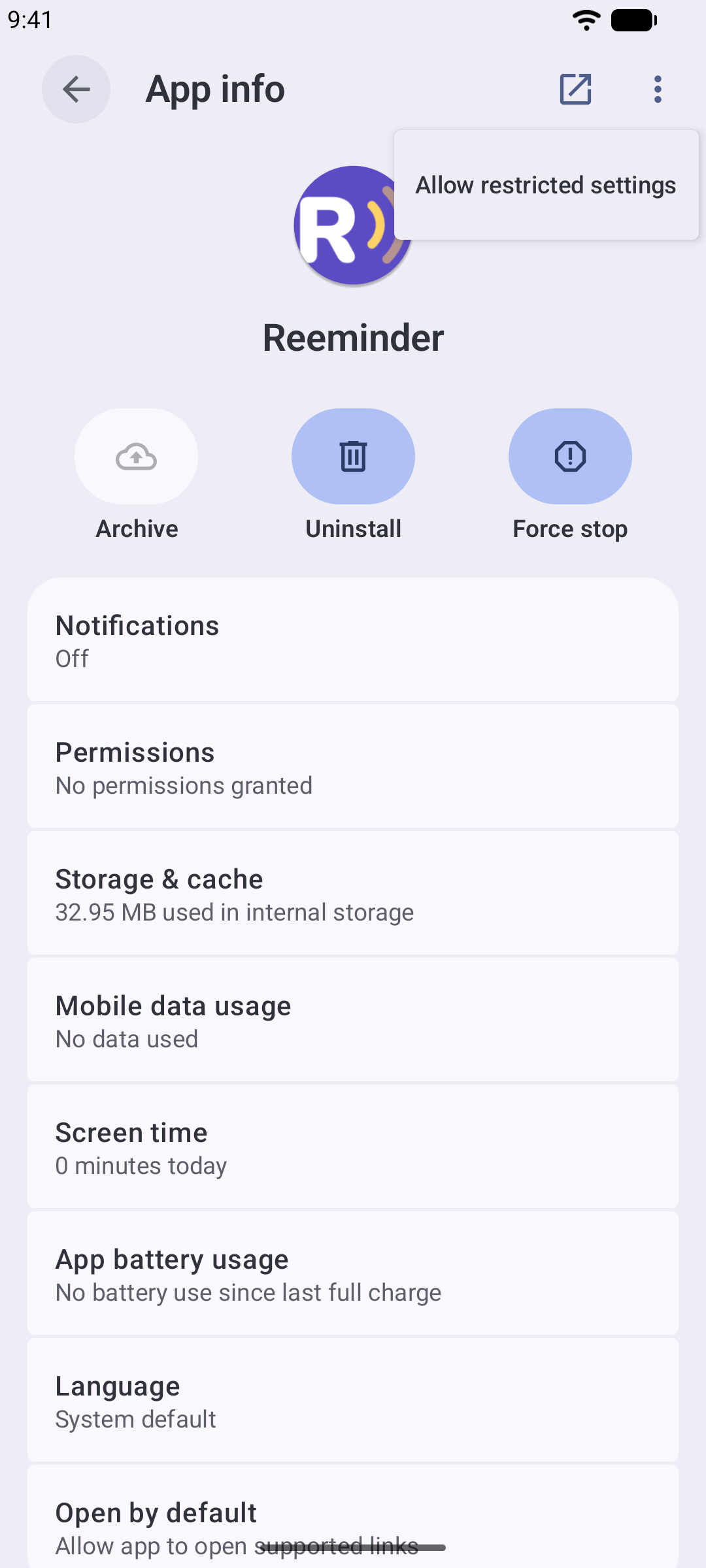
- Tap the ⋮ menu in the top-right corner, choose “Allow restricted settings”, and confirm with your PIN or fingerprint.
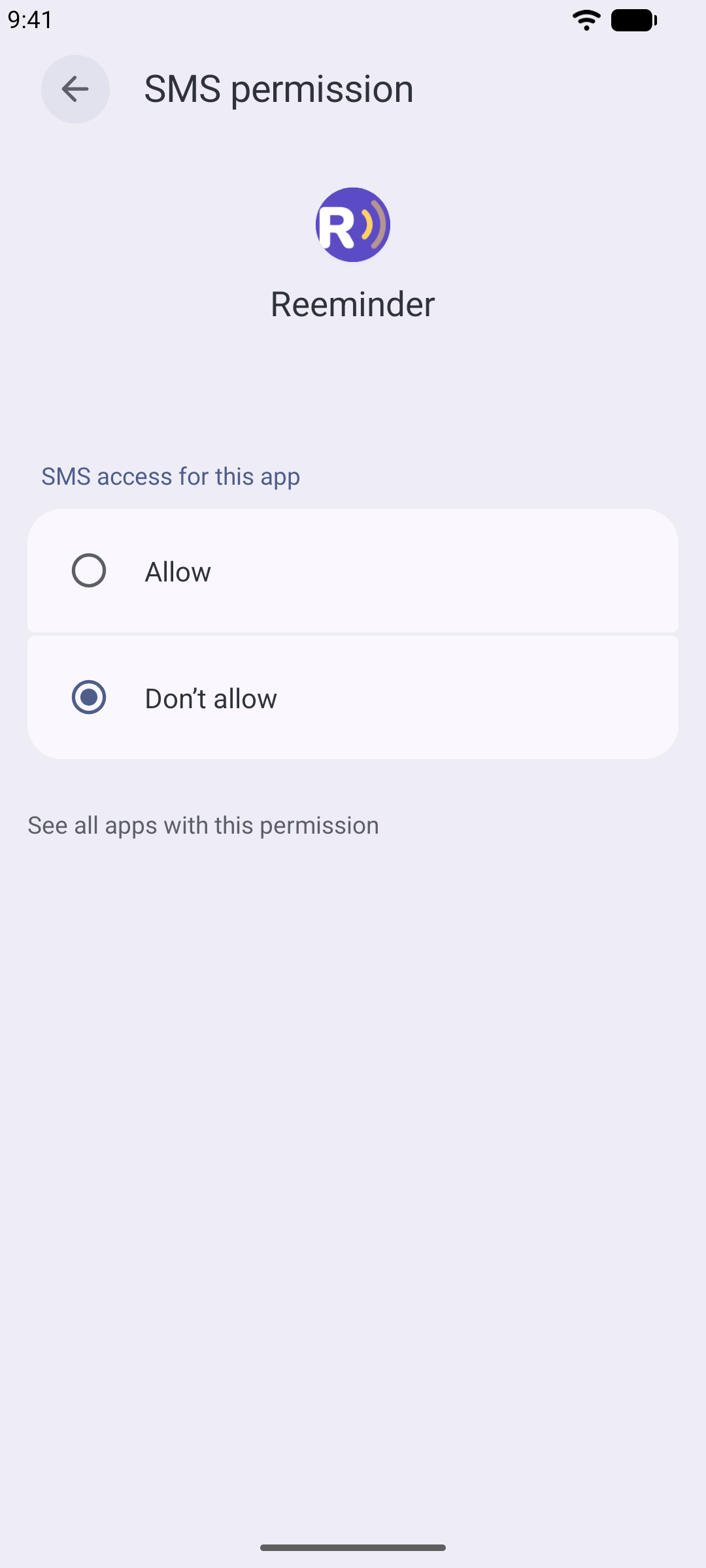
- Now tap Permissions → SMS → Allow. That's it — reminders can send.
You don't have to remember any of this: the app's setup wizard shows these same steps on your phone as you go.
Reminders don't go out when the app is closed
“Texts only send when I open the app — nothing goes out while the phone sits in my pocket.”
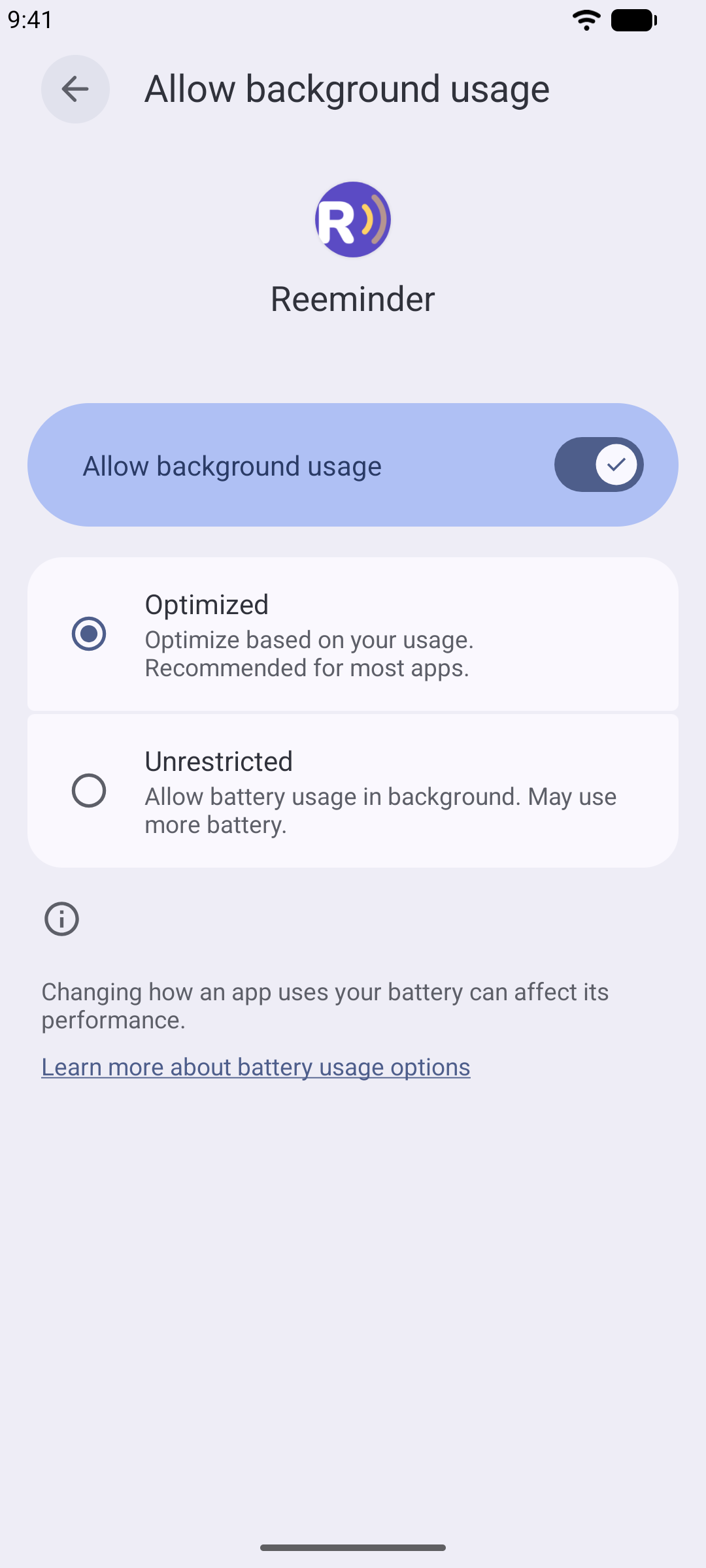
- Open Settings → Apps → Reeminder → Battery and choose “Unrestricted”. This is the important one — it lets Reeminder wake up at sending time.
- On the same screen, leave “Alarms & reminders” allowed.
- Don't swipe Reeminder away in your recent apps — some phone brands treat that as “never run this app again”.
With that set, reminders go out on time even with the screen locked and the phone in your bag.
Android & iPhoneMy clients don't show up when I create an appointment
“When I add an appointment and search for a client, nobody comes up.”
Reeminder reads clients straight from your phone's Contacts. It never changes them and never copies them anywhere — it just needs permission to look.
- On Android: open Settings → Apps → Reeminder → Permissions → Contacts and choose “Allow”.
- On iPhone: open Settings → Apps → Reeminder and switch on Contacts.
iPhoneMy iPhone doesn't send the texts by itself
“On Android it sends on its own, but on my iPhone the reminders just wait.”
That's an iPhone rule, not a bug: Apple doesn't allow any app to send a text message in the background. So on iPhone, Reeminder prepares everything and you press send:
- In the morning you get one summary notification listing the reminders due that day.
- The number on the app icon shows how many are waiting.
- Each one sends with two taps: Reeminder opens Messages with the text and number filled in — you just hit send.
iPhoneThe message that opens isn't the one I expected
“I tapped Send, but my messaging app opened an older message instead of the reminder I was sending.”
This only comes up where you press send yourself — on iPhone. Your messaging app keeps whatever you leave half-written in a client's conversation, and when something is sitting there it shows that text instead of the one Reeminder just handed over — usually after you opened a reminder, started changing it and went back without sending. Nothing is wrong with the reminder itself: the text you see on it in Reeminder is the one that counts.
- Open your messaging app and go to the conversation with that client.
- Delete everything left in the typing box at the bottom, so it's completely empty.
- Go back to Reeminder, open “To send” and tap Send SMS on the reminder again — the right message opens.
Only your messaging app can empty that box — no other app is allowed to touch what you've typed there. So if you open a reminder and decide not to send it after all, clear the box before you leave, and the next reminder for that client opens cleanly.
Android & iPhoneI don't get the morning notification
“The app works, but no notification arrives in the morning.”
- Allow notifications for Reeminder — in the dialog the app shows the first time, or later in your phone's settings (Settings → Apps → Reeminder → Notifications).
- On iPhone, the number on the app icon also appears only while notifications are allowed.
Still stuck?
Write to me. I'm Robin, I built Reeminder, and I read every email myself. Tell me what phone you have and what you see on the screen — we'll get it sorted.
Email robinbortlik@gmail.com